Release Notes: 9.8.5

This release contains numerous small improvements intended to improve quality-of-life for our users as we continue work on larger efforts releasing in the near future.
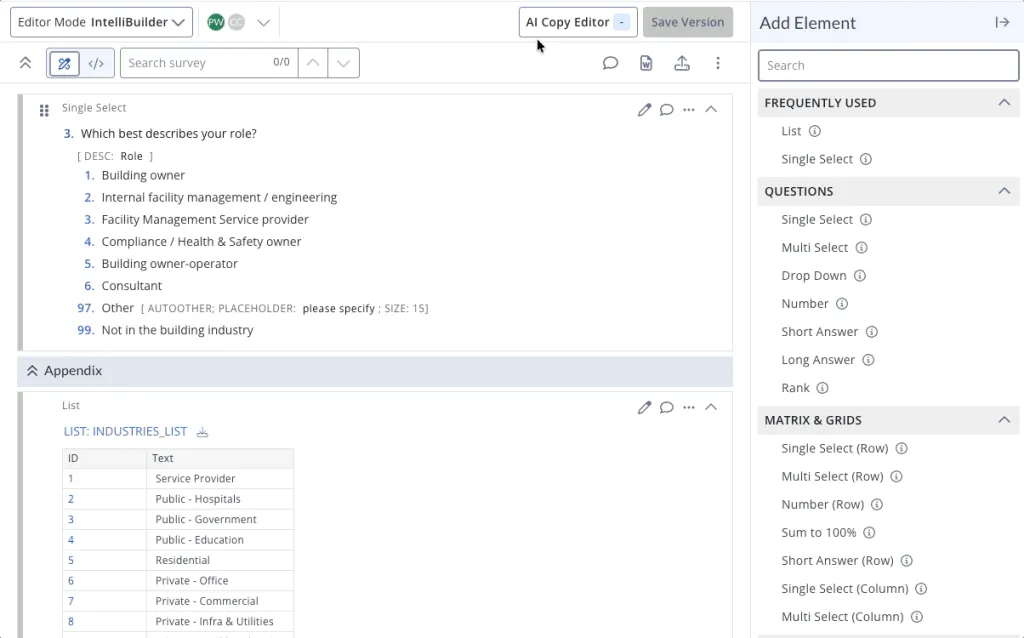
Introducing AI Copy Editor (Beta)
We are thrilled to introduce the AI Copy Editor (Beta) in this release. Integrated directly into IntelliBuilder, this powerful tool simplifies one of the most time-consuming aspects of survey creation: catching minor wording flaws before going live.
The Copy Editor evaluates your entire survey across four key dimensions: clarity, precision, engagement, and tone. It then provides tailored recommendations presented as individual before-and-after cards alongside a brief explanation for each.
Users retain full control over the process – choose to adopt specific suggestions, dismiss others, or approve everything at once. Most surveys can be fully reviewed in less than a minute. To maintain structural integrity where consistency is paramount, the tool completely avoids altering skip logic, question sequences, demographics, or standard scales.
We are actively refining this tool during its Beta phase. If you encounter any unusual recommendations or notice obvious issues that were missed, please let us know.
Goodbye Legacy Charts, Hello Upgraded Reports!
With 9.8.4’s big overhaul to Charts, Legacy Charts has officially been retired. Chart management has moved to the redesigned Charts tool, where you can curate multiple charts into a single, sharable report.
Improvements & Bug Fixes
ISPL
- Introduction of the
show row totaltag. Akin to theshow column totaltag, usingshow row totaland its associated parameters add a total column to a numeric table to sum all of the fields across a row - When using
term after: [group], the termination point will now happen after completion of the group - Using
stepwisewithselectby: countcompiles correctly and no longer throws error screen - Tables now support
explainon collection headers - Exports with tables utilizing Masks fixed: row masks now appear without table text in both SPSS and Excel
- Disable singlepage with
singlepage: n - Looped questions will no longer parse without options
Survey Interface and Testmode
- Ongoing improvements to Maple theme
- Testmode’s mobile view feature sees continued improvements
- Tables in vertical mode failed to show properly in Spruce at certain times; fixed
- Feedback submitted for block questions via ‘Leave tester feedback’ in testmode now appear in IntelliBuilder
Audiences
- Within Messages, import content from previously created messages using ‘Copy From’
- Visual updates to Panels
IntelliBuilder
- Various improvements and bug fixes to rendering of content within IntelliBuilder and the Word doc output
- Continued Comment Center bug fixes and improvements
Additional Improvements
- Within the survey left navigation, IntelliBuilder has been moved atop ISPL in the Editor menu. When clicking Editor, in the left navigation, you’ll be taken to the last-used editor, or IntelliBuilder by default.
- Checklists can now be recalculated, allowing for new ones to be back-filled and pre-existing ones to be updated based on survey additions or changes
- Reporting-only variables (and thus Custom Fields) can now be created with options that have blank conditions, intended to be used as a “catch-all” type option
- A survey’s ID can now be changed
- Visual indicator when filters are set on Survey Navigator
- For certain domains, allow users from those domains to self-register an account
- Within System Sheets, similar-purposed sheets are grouped together for ease in navigation
Additional Bugs
- HTML characters incorrectly displaying throughout the platform have been fixed
- Frequency report rank grouping fails when rank question ID contains RANK; fixed
- Surveys with reporting-only variables and Custom Fields may now be cloned